If you need Azure Automation, then You Need Ansible.
I used Ansible to automate deployment of entire Cloud Services within my Microsoft Azure subscription. It saved me time, money and headaches.
This is a guide on setting up Azure functions to be used by Ansible. I strongly recommend reviewing Ansible’s own documentation, there are a lot of resources there.
To get more information on how you could be using Ansible, I have an article on Getting Started with Ansible. I recommend trying this out and seeing if you can automate your own systems and streamline your own deployment experience.
Expectations
You have a Microsoft Azure Subscription. You have experience using the Azure platform. You have a GNU/Linux system that you have root permissions on. You have the relevant permissions within Azure.
Given Example
In our example, we have existing Cloud Services within Microsoft Azure and want to setup Ansible to interact with Azure so that we’re able to automate actions we otherwise would have to do manually.
This guide is aimed to setup Azure and Ansible & test they can interact. I go further on using this to automate Azure Virtual Machine Deployment in another guide.
Today we’ll be using a basic GNU/Linux server with Ansible installed to carry out tasks within Microsoft Azure using a Playbook
Preparing Azure to work with Ansible
Azure uses RBAC which is ideal, however we’ll need to set up a few things to allow our Ansible server to successfully use the Microsoft Azure Ansible Collection.
Creating an App Registration for Ansible in Azure
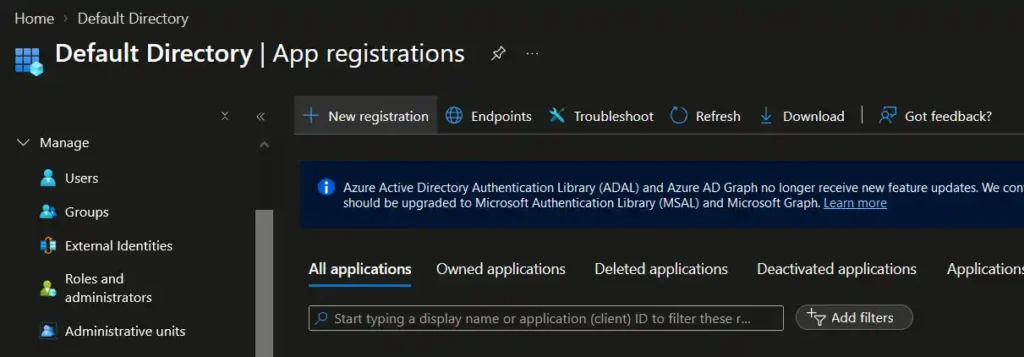
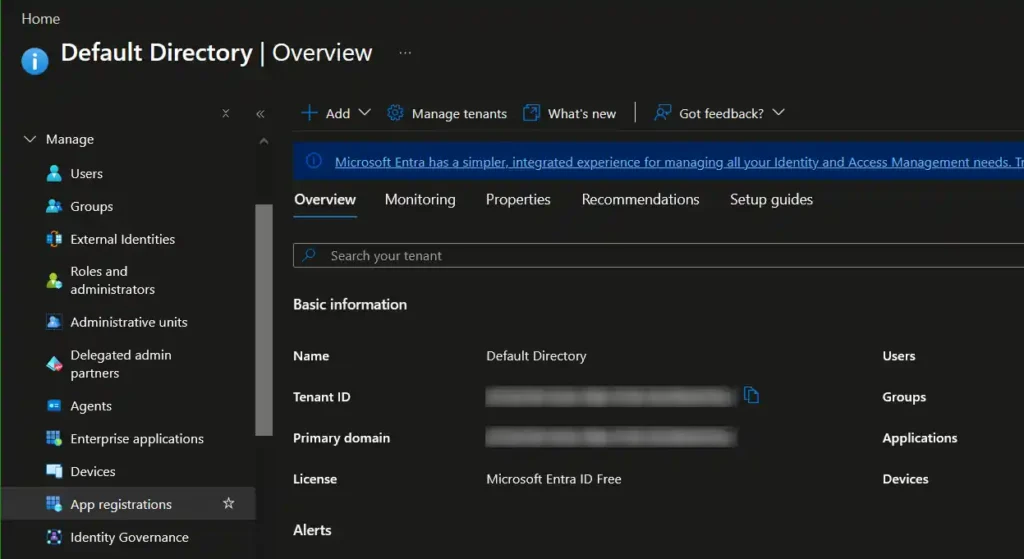
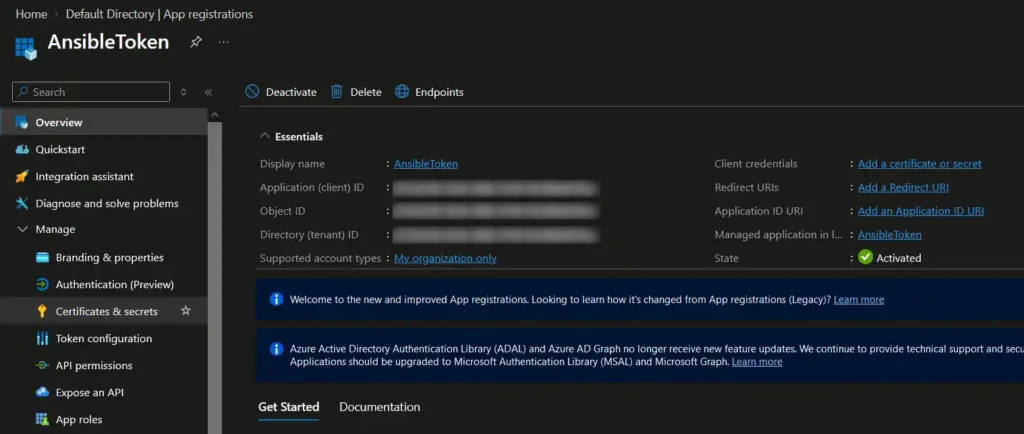
Firstly we navigate through Azure into the EntraID > App Registrations area, which allows us to select ‘New registration‘ which is then used to generate a Secret ID & value.
This is a service-account like token that Azure can validate, revoke and administer. Think of this like a set of secret details that expire that set permissions and allow you to delete them when required.
The App Restrictions area can be accessed through the side bar within Azure EntraID, under the ‘Manage‘ tab. Alternatively you can search for ‘App Registrations‘ on the Azure search bar.
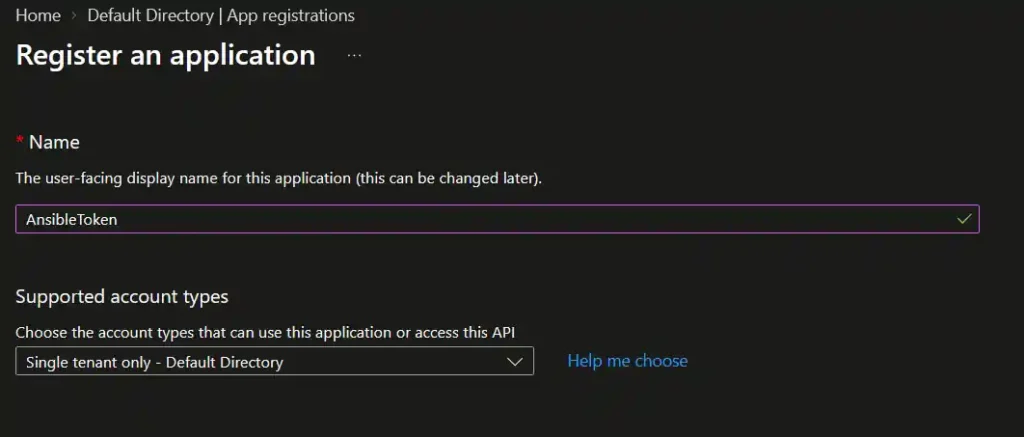
Next we click ‘Add registration‘ so that we can generate a Service Principal and call it ‘AnsibleToken‘.
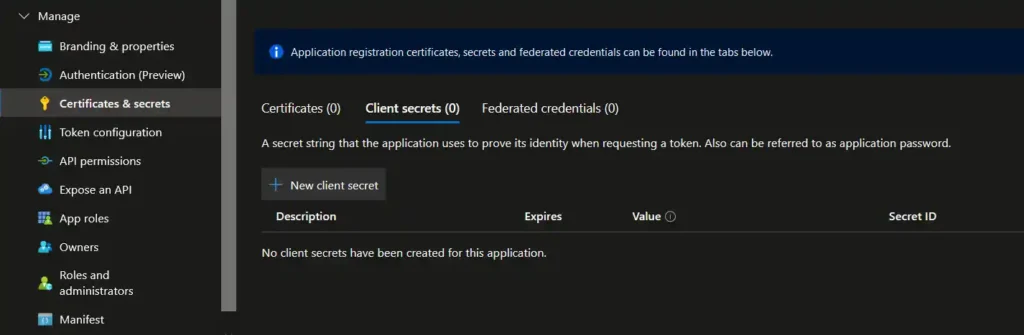
After this is created we will need to go into our newly created App Registration then on the side bar under manage we can go into the ‘Certificates & Secrets‘ area, where we can generate criteria for Ansible to use associating it with our Azure Directory.
Take note of the Application (client) ID & Directory (tenant) ID here, we use these later when installing the Azure App Registration onto our Ansible machine.
Creating a Client Secret for Ansible to interact with Azure
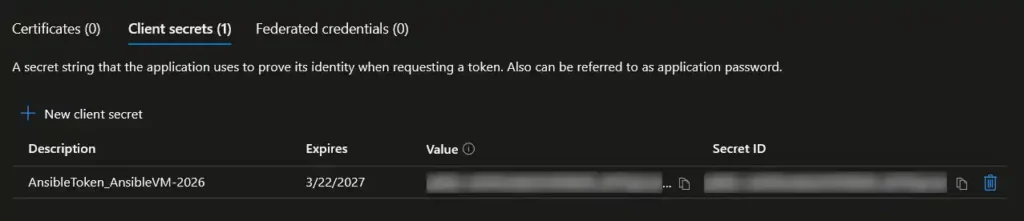
Inside the ‘Certificates & Secrets‘ area, we use the ‘Client Secrets‘ tab to add a new client secret. This should be appropriately set to expire and have a good description to help you know what Ansible machine you are using this with and ideally a date stamp too.
Once created, you will get to see the Secret ID and it’s value.
Make sure to copy this value, as you’ll only see it once at creation time. Keep this safe and secure, it authenticates an Application to interact with Azure.
You now have a Secret ID and value that you can give your Ansible machine that allows it to interact with Microsoft Azure.
These will have to be renewed depending on when you set them up to expire. When it comes time to renew these, simply create a new ‘Client Secret’ and follow the below guidance to provide Ansible with the updated Secret ID and value.
Preparing an Ansible Node to talk with Azure
With our given example, we’re running Ansible on a machine that now needs to be configured to interact with Azure using the App Registration we previously set up. This guide assumes you have already installed Ansible and some tools on your chosen machine but we will also need to install Ansible Galaxy to use the Microsoft Azure Ansible Collection which provides Ansible with the ability to make calls to Azure using our Playbooks.
Installing Ansible Galaxy’s Azure Collection
Refer to your own package manager or the Ansible installation documentation for help doing this on your own system. Your chosen Ansible machine will need to have the following packages installed at a minimum to run Ansible.
I also recommend that on any system being used for this purpose that you upgrade your OS & upgrade any installed software to their latest stable release ;-
$ sudo apt update
$ sudo apt upgrade
Here we are using APT to install Ansible and then PIP3 to install the Azure specific collection dependencies. Install the following package source, packages & dependencies ;-
We now have to install the Azure ‘azcollection‘ requirements specifically.
The Azure collection includes a file listing it’s dependencies required to run within Ansible when you initially install it, which is found under a relative location to your installation user’s home folder ;- .ansible/collections/ansible_collections/azure/azcollection/requirements.txt
As I installed Ansible & Ansible Galaxy’s ‘azcollection‘ through sudo, this relative folder is under /root/ and since PIP doesn’t like being ran as sudo, I made a copy of this file in /tmp and made it readable by my user.
You may need to specify the “–break-system-packages” and “–ignore-installed” as I had to in my specific example to get PIP to play ball.
It is important to remember that these packages, collections & dependencies are all subject to change over time. You may also experience some common errors –I know I did when I first began to use Ansible with Azure– this being said while I have a section below with Common Issues, you should also refer to some of the fixes officially documented on the Microsoft Azure Collection GitHub.
Installing the Azure App Registration onto our Ansible machine
With our Ansible machine setup, it requires that we provide Ansible with some values to interact with Azure. This can be done by entering the App Registration details into a credentials file or environment variables.
Here we’ll be setting the following values as environment variables to shortcut the process and prevent having file. We do however need to set these each time we want to use Ansible to run playbooks that interact with our Azure instance.
AZURE_SUBSCRIPTION_ID
AZURE_CLIENT_ID
AZURE_SECRET
AZURE_TENANT
Using our Azure Subscription ID, the App Registration‘s Application (client) ID & Directory (tenant) ID and our created Secret ID‘s value we remark these values as environment variables you can run the following commands as a root user ;-
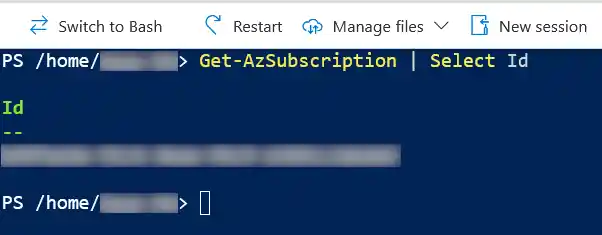
You can quickly identify your Azure Subscription ID in the Azure Cloud CLI Console with ;- Get-AzSubscription | Select Id
Testing Ansible is ready to automate Azure
Now that we are setup we can test our Ansible machine is able to interact with Azure.
I recommend the following basic Ansible one-line command that runs a check on your subscription in your Azure, which confirms everything is working, the output from Ansible is very useful when diagnosing underlying issues such as missing dependencies.
This guide is a long time in the making, I’ve used Ansible successfully with Azure over the years – however this hasn’t been without issues.
Time waits for no software
Often the Azure Collection may update, have new/old known bugs occur or it’s dependencies may change. There may also be some issues that occur with your Ansible machine’s OS or package manager itself.
The information in this guide is accurate as of September 2026 and a lot has changed since I first set up Ansible with Azure back in 2024.
I’ve seen that some of my older notes including shell logs hold setup information that is no longer accurate and produces errors due to changes with Azure, Ansible Collections and even packages over time.
Again as mentioned at the beginning of this guide, refer to documentation for support with your own use of this software.
It is always a good idea to use the documentation provided as much as you can to overcome any specific obstacles you may face with your own setup.
Some issues I had in 2026
I found that the deprecation of the azure-mgmt package is due to it now being split into different specific packages -while annoying- was a simple to overcome. Most of these are listed in the azcollection’s requirements.txt file. I had to install packages that Ansible explains are missing by using PIP whenever Ansible specifically took issue. Oddly I even found needed packages like azure-mgmt-rdbms that were not being installed due to not being listed under the requirements.txt file.
I also found that I had a common error whereby my Azure provided cloud OS Image distribution used as my Ansible machine reports an installed version of urllib3 but PIP fails to be able to uninstall it so I workaround this using --ignore-installed which is referenced on another OS by a user advocating for better error output here.
I hope these instances helpful, remember to read the manual!
Keeping your Playbook up to date
While both Azure the Ansible collection that interfaces with it are continuously updated it is very important to keep up to date with any azure.collection documentation changes & Azure changes.
An example of this I experienced was the phasing out of unmanaged Disks in Azure, which created a need to update an older Playbook to use a Managed Disk in the configuration to deploy my Virtual Machine.
Here are some resources worth keeping tabs on if you are going to be using either Azure or Ansible long term;-